Babysense vs. Vava: Who Has the Superior Split-Screen Monitor?
Split-screen monitors let you watch two rooms, or two children, on one screen. Babysense and Vava both make them, but the gap between the two brands is wider than the spec sheets suggest.






Updated October 21, 2026
AI Summary


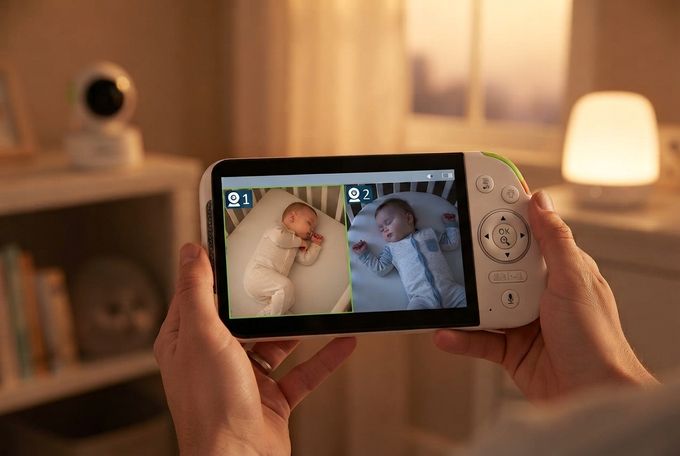
Watching two rooms at once used to mean two monitors and a lot of glancing back and forth. A split-screen baby monitor puts both camera views side by side on one display. That helps with twins, siblings sharing a room, or a crib and a play area. Plenty of brands offer one, but the options differ more than you'd expect.
This Babysense vs. Vava guide compares what each brand offers, from screen sizes and connectivity to cameras, battery, and trial periods. You'll also see how Wi-Fi and non-Wi-Fi monitors differ in daily use, plus which brand suits which household.
Explore Reliable Split-Screen Monitors
Browse Babysense's non-Wi-Fi video monitors for secure split-screen viewing.
What to Look for in a Split-Screen Baby Monitor
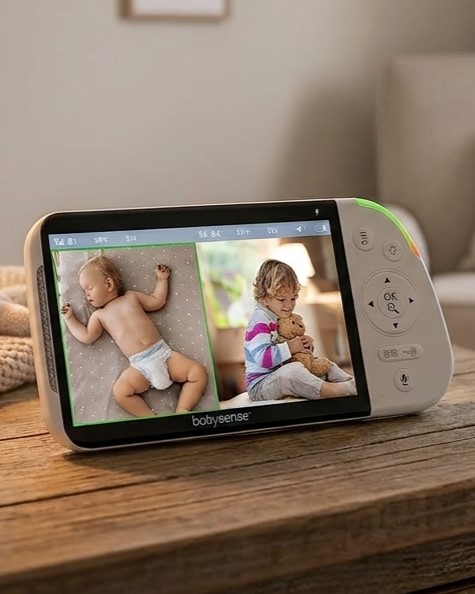
Split-screen monitors look alike on a spec sheet, so these details are worth checking as you compare brands:
- Picture clarity: Split-screen gives each camera only part of the display, so screen size and resolution matter more than they do with a single feed.
- Connection type: A local, non-Wi-Fi signal keeps video off your home network, while Wi-Fi adds remote viewing through an app. Decide which one your family wants more, because few monitors offer both.
- Camera count and feed display: Check how many cameras you can add, and how many of them show on screen at once.
- Battery and range: These decide how freely you can carry the parent unit around the house and yard.
What Each Brand Is Known For
Babysense has made baby monitors since 1991, and the nursery has always been its focus, from breathing motion monitors to non-Wi-Fi video monitors and sound machines. Vava launched in 2015 as a consumer tech brand, and it makes security cameras and projectors alongside its baby range.
Vava has built its split-screen monitors exclusively around a local signal with no internet, so video travels straight from camera to screen. Babysense, on the other hand, offers hybrid and Wi-Fi options in addition to its non-Wi-Fi video monitors.
Split-Screen Options From Each Brand
Here's each brand's current split-screen lineup, with screen sizes:
Babysense:
- Babysense Touch: 7-inch touchscreen
- Babysense PRO: 5.5-inch screen
- Babysense Prisma: 5-inch screen
- Babysense HD S2: 5-inch screen
- Babysense V43: 4.3-inch screen
- Babysense 2Peek: viewed on your phone through the app
Vava:
- Vava VA-IH009: 5-inch screen
- Vava VA-IH020: 8-inch screen
Quick Feature Overview: Babysense vs. Vava
Here's how the two brands line up on the specs that shape split-screen viewing at home.
Feature | Babysense | Vava |
|---|---|---|
Split-screen models | 6 | 2 |
Screen sizes | 4.3 to 7 inches (2Peek uses your phone) | 5 and 8 inches |
Top resolution | Up to 1080p | Up to 1080p |
Connectivity | Local non-Wi-Fi connection on parent-unit models; Touch also offers optional Wi-Fi; 2Peek uses Wi-Fi | Local non-Wi-Fi connection only |
Multi-camera support | Up to 4 | Up to 4 |
Camera functionality | Remote pan, tilt, zoom | Remote pan, tilt, zoom |
Battery life | Up to 12 hrs with the screen on and up to 20 hrs in ECO mode | Up to 10 hrs with the screen on and up to 18 hrs in audio-only mode |
Stated range | Up to 1,000 ft | Up to 900 ft |
Built-in night light | Yes, six colors on PRO and Prisma | No |
Built-in soothing sounds | Yes, white noise and lullabies on parent-unit models | Yes, lullabies on the VA-IH020 |
A Closer Look at Babysense and Vava Split-Screen Monitors
Specs only go so far, so here's how each lineup works in practice.
Babysense Split-Screen Baby Monitors

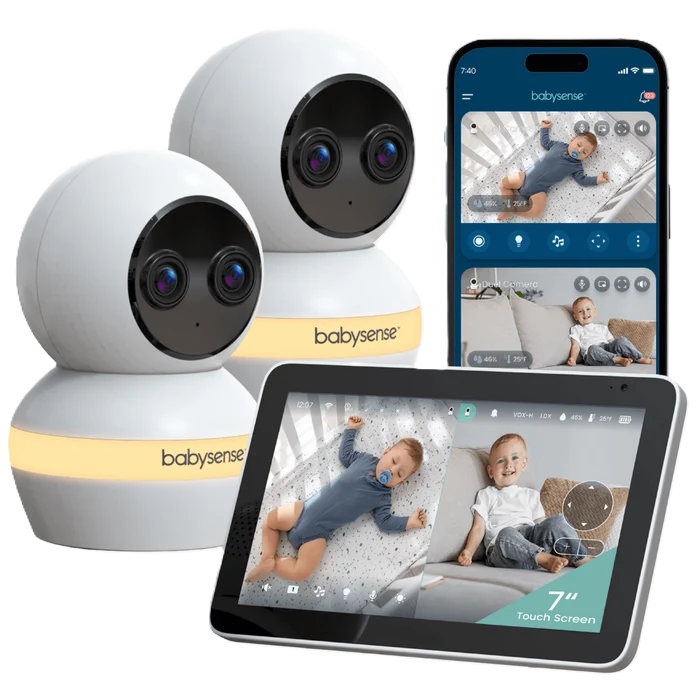
Babysense Split-Screen Video Monitors
Six split-screen models, from a compact 4.3-inch screen to a 7-inch touchscreen.
Connectivity
Non-Wi-Fi, dual-mode, and Wi-Fi options
Multi-Camera Support
Up to 4 cameras
Sounds & Night Light
Built-in white noise, lullabies, and night light
Babysense sorts its range by screen size and connection, and every model shows two cameras side by side. The non-Wi-Fi ones run on a closed signal with no app or subscription needed. The V43 is the most compact at 4.3 inches, which also makes it the most portable. The Babysense HD S2 and Prisma sit in the middle with 5-inch 720p displays, each with a night light and built-in sounds. The PRO moves up to 5.5 inches at 1080p, so each half of a split view holds more detail.
The last two models change how you watch rather than what you see. The 2Peek uses Wi-Fi and a free smart app to display both cameras on your phone instead of a parent unit. The Touch keeps the local connection and adds a 7-inch touchscreen, dual 4MP lenses, 6x hybrid zoom, and cry detection. It can also stream to your phone through the free Babysense app for remote access.
Pros
- 6 split-screen models to suit different needs and budgets
- Non-Wi-Fi, dual-mode, and Wi-Fi options
- Built-in night light and sound machine
- Remote pan, tilt, and zoom on all cameras
- Up to 20 hours of battery life in ECO mode
Cons
- Wi-Fi models need an app and stable 2.4GHz connection
- V43 is the smallest screen for split-screen viewing
Vava Split-Screen Baby Monitors

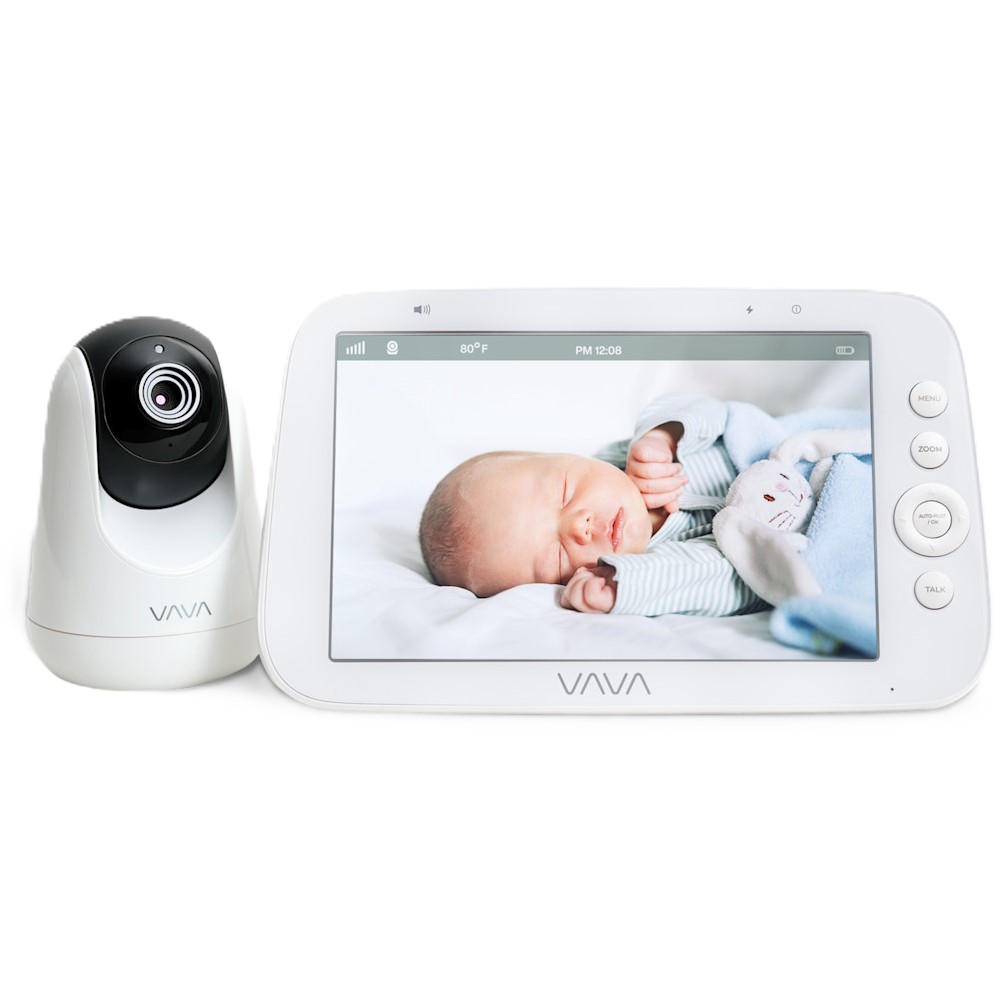
Vava Split-Screen Video Monitors
Two split-screen models, from a 5-inch to an 8-inch display.
Connectivity
Non-Wi-Fi only
Multi-Camera Support
Up to 4 cameras
Sounds & Night Light
Lullabies on the VA-IH020, no night light
With fewer options than Babysense, shopping for a Vava baby monitor with split-screen capabilities is quick. The VA-IH009 is the dedicated split-screen model. Because it ships as a two-camera set, you get the split view without buying an add-on camera. Its 5-inch 720p display carries both feeds at once, side by side, and uses a local non-Wi-Fi connection.
The VA-IH020 is the big-screen choice, with an 8-inch 1080p display plus pan, tilt, and zoom from the parent unit. Because of the larger screen, you can watch all four camera feeds at once, with the option to view a pair of cameras side by side if you prefer. The trade-off is reach. Neither Vava model streams to a phone, so you don't have remote access.
Pros
- Large 8-inch 1080p display makes split-screen viewing easier
- No Wi-Fi or app needed
- VA-IH020 displays all 4 feeds at once
- Battery lasts up to 18 hours in audio-only mode
Cons
- Only 2 split-screen models to choose from
- No Wi-Fi options for remote viewing
- Generally pricier than Babysense monitors
Vava vs. Babysense: How the Two Brands Compare
These five areas tend to decide which brand best fits your home.
1. Connectivity: Closed Signal, Wi-Fi, or Both?
Both brands offer split-screen baby monitors with no Wi-Fi, router, or app required. They use a 2.4GHz local connection that's interference-free and secure.
Wi-Fi is where Babysense goes further, with smart video monitor options that add remote viewing. The 2Peek skips the parent unit and shows both cameras on one phone screen through a free app. The Touch keeps its local connection and can also stream to your phone through the app.
These options pay off when you’re at work or away from home, since a local signal only reaches as far as the parent unit.
» Want more options? Check out our top non-Wi-Fi baby monitors and smart video monitor picks.
2. Monitoring Clarity and Camera Features
The picture quality is closely matched, as both brands offer 5-inch, 720p screens, and both reach 1080p. Babysense gives you more sizes to choose from, from the 4.3-inch V43 up to the 7-inch Touch. Vava's VA-IH020 goes bigger still at 8 inches.
Beyond the screen, a few details set the two apart:
- Tracking: The Touch adds AI auto-tracking, 6x hybrid zoom, and smart cry detection alerts. Vava's VA-IH020 offers pan, tilt, and 2x to 4x "Auto-Pilot" zoom, but doesn't have cry detection functionality.
- Night vision: Both brands include it, and Babysense's cameras switch to infrared automatically.
- Night light: Babysense monitors include built-in night lights (with up to six color choices), so you don't need a separate one. Neither Vava model offers this as an integrated feature.
3. Expandability: How Many Cameras Can You Watch at Once?
Twins and close-age siblings are the classic case for a split-screen monitor covering two cribs. Both brands let you grow to four cameras by adding them to the parent unit you already own. That helps when a second baby arrives, or when a toddler moves to a new room, and you want eyes on both.
On Babysense, the parent unit shows cameras 1 and 2 together, then cycles to cameras 3 and 4 (if applicable), so a four-camera setup gives you two views in turn. Vava’s VA-IH009 also shows two at a time, while the VA-IH020 has a large enough screen to show all four video feeds at once.
4. Battery and Range for Everyday Use
Apart from the V43, Babysense parent units run for up to 12 hours in regular mode, and 20 hours in ECO (VOX) mode. Vava rates both its split-screen models as having a battery life of 8 to 10 hours with the screen on, or 18 hours in audio-only mode.
Babysense's non-Wi-Fi monitors have a range of up to 1,000 feet and Vava up to 900 feet. For some household layouts, this is a significant gap, but it might not be a determining factor for smaller homes. Just remember that walls, floors, and other electronics cut into these maximum ranges.
» Get the most out of your monitor with these helpful tips on boosting range and signal.
5. Price, Trial, and Warranty
Prices change often, so check each product page for current offers. Babysense's non-Wi-Fi split-screen monitors generally list below Vava's two, the Touch sits closer to Vava's range, and the 2Peek costs well below it.
Babysense offers a 100-night trial, while Vava offers 30 days. Babysense also gives you a one-year warranty, plus six more months if you register the product. Vava's warranty is 12 months.
Recommendations for Common Family Setups
Your household decides which monitor features matter most. This table matches six common situations to the brand that tends to fit best.
Family setup | Better fit | Why |
|---|---|---|
Two children in one room on a modest budget | Babysense (V43 or HD S2) | Both show two feeds side by side and cost well below Vava’s models |
A big household with three or four rooms to watch | Vava (VA-IH020) | It can show all four feeds on one 8-inch screen |
Parents who want to check in from work or while away | Babysense (Touch or 2Peek) | Both stream to your phone and aren't tied to a parent unit |
A newborn who needs soothing during night feeds | Babysense (PRO or Prisma) | Both have six night light colors, plus white noise and lullabies built in |
Parents who’d rather keep the nursery off the internet | Either brand | Both build their parent-unit models around a local signal, with no router or app involved |
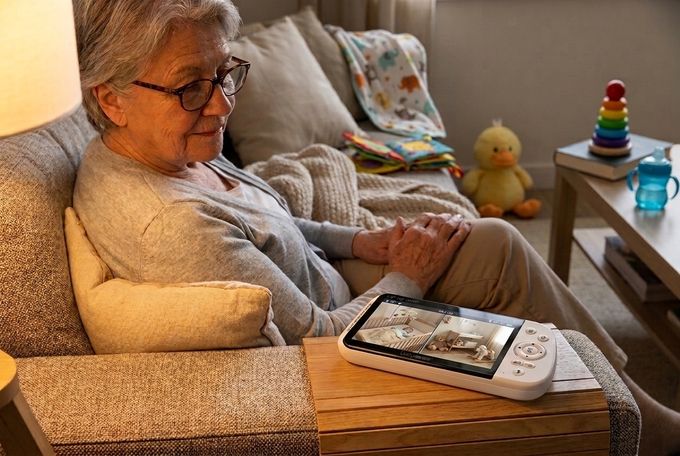
Grandparents or a nanny minding two children | Either brand | A 5-inch screen or larger keeps both feeds readable for someone who doesn’t use the monitor daily |
Two Kids, Two Rooms, One Clear Winner?
A good split-screen monitor lets you watch two rooms, or two children, without juggling screens. The best ones pair a readable screen with a connection you trust. Babysense and Vava both deliver that, with a local signal and room for up to four cameras.
Vava’s VA-IH020 is a strong pick if you want the largest local screen or all four feeds at once. Babysense gives you more ways to watch, starting with the PRO, a non-Wi-Fi monitor with a 1080p screen. The 2Peek goes the other way, displaying separate camera feeds on your phone through the free app. The Touch sits in between, with a Full HD 7-inch touchscreen and optional Wi-Fi.
Whichever brand you choose, match it to your home and routine, and those nighttime checks get easier.
References
1. American Academy of Pediatrics. (2026, September 11). How to keep your sleeping baby safe: AAP policy explained. HealthyChildren.org. https://www.healthychildren.org/English/ages-stages/baby/sleep/Pages/a-parents-guide-to-safe-sleep.aspx
FAQs
Is a split-screen baby monitor worth it for one baby?
Often, yes. With one baby, you can leave a camera in the nursery and put the second wherever daytime naps happen, instead of moving one camera twice a day. Parents also aim that second camera at a play area or a toddler bed, so one glance covers both. However, if you know you'll only ever watch one room, a single-camera model is the simpler choice.
What screen size works best for split-screen displays?
Each feed gets roughly half the display, so a 5-inch screen or larger keeps two views easy to read. A 4.3-inch screen suits quick glances, while the 7-inch Touch and Vava's 8-inch VA-IH020 give you the most room.
Is split-screen the same as scan mode?
No. Split screen holds two feeds on the display at the same time, side by side. Scan mode switches between cameras instead, showing you one room, then the next. With four cameras on a Babysense parent unit, you get both, since the screen carries a pair at a time before moving to the next pair.
Do split-screen monitors work through walls and across floors?
Usually, although thick walls, several floors, and other electronics shorten the range. Stated figures like 1,000 ft assume open space, so expect less indoors.